
TL;DR
Building your own AI workstation used to be cheaper, but supply shortages and rising component prices make prebuilt systems equally or more affordable today. The choice depends on your need for customization, support, and future upgrades, not just initial cost.
Imagine this: you’re ready to jump into AI development, but your options are suddenly more complex than just choosing parts or clicking ‘buy now.’ The classic build vs buy debate has shifted. In 2026, the question isn’t just about saving money or time. It’s about which path gives you the right mix of performance, support, and future flexibility.
More than ever, the choice impacts your project’s speed, your budget, and your peace of mind. So, let’s break down what really matters today—costs, customization, and the hidden trade-offs—so you can make the right call for your AI goals.
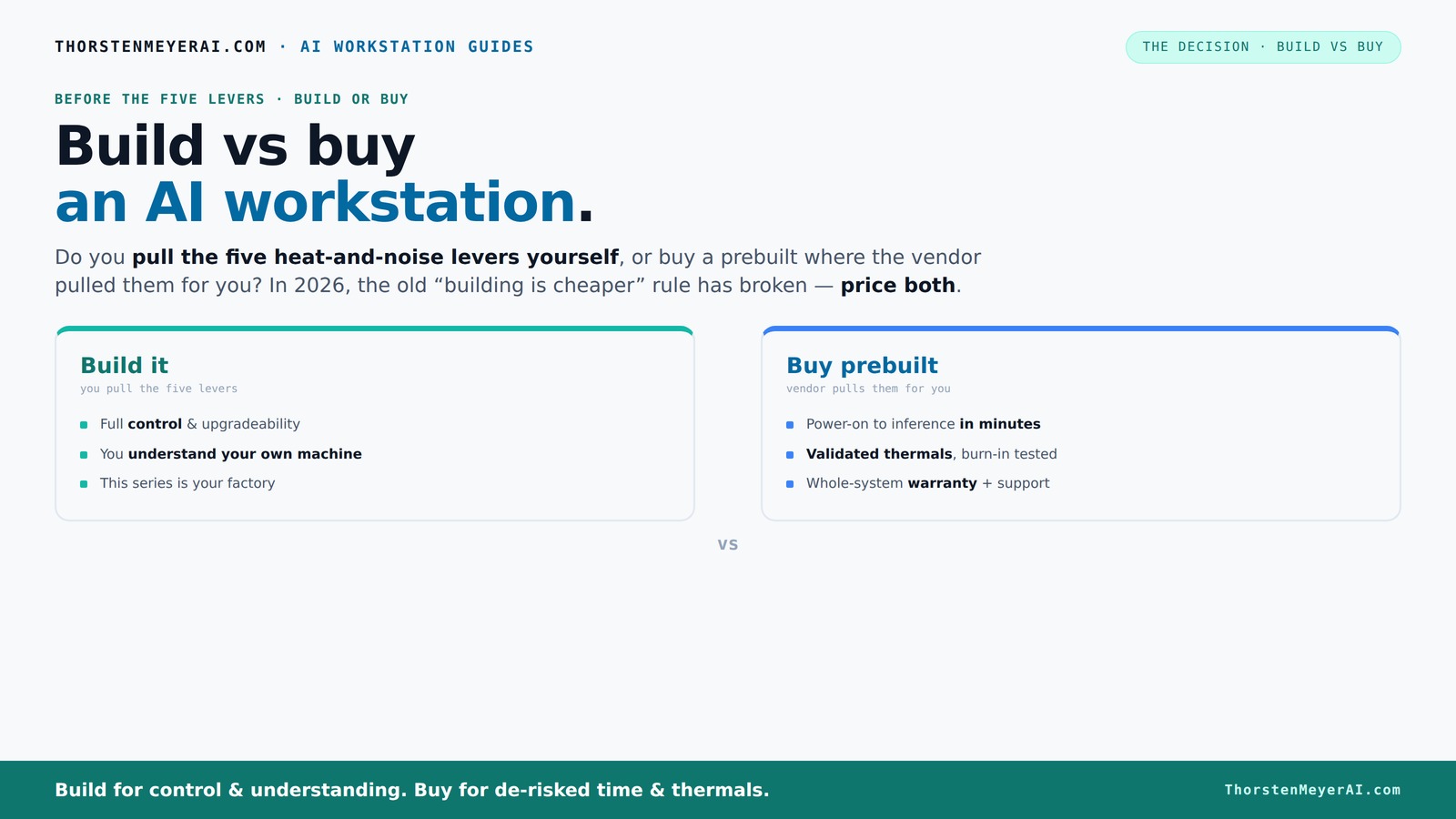
Build vs buy
an AI workstation.
The real question behind this whole series: do you pull the five heat-and-noise levers yourself, or buy a prebuilt where the vendor pulled them for you? And in 2026, the old “building is cheaper” rule has broken. Match your situation in Part 3.
Key Takeaways
- Component shortages have made building a high-end AI workstation as expensive as, or more than, buying prebuilt systems.
- Prebuilt systems offer validated thermals and warranties, easing setup and reducing risk—especially crucial for multi-GPU rigs.
- Building your own gives control over cooling, noise, and future upgrades, but requires time, expertise, and troubleshooting skills.
- Always price both options for your specific configuration today—costs fluctuate fast in 2026.
- Support and warranty can save you headaches down the line, making prebuilts a smart choice for many professionals.

AI Gaming PC Desktop, RTX 5070 TI 16GB GDDR7, AMD Ryzen 7 9700X, 32GB DDR5 6000MHz RAM, 1TB PCIe + 1TB SATA SSD, 240mm AIO & ARGB Software Fan Light Control, 850W PSU, Windows 11 Prebuilt Computer
【AMD Ryzen 7 9700X Zen5 Gaming CPU & Elite 4K AI Graphics】 8-core 16-thread Zen5 architecture with up...
As an affiliate, we earn on qualifying purchases.
As an affiliate, we earn on qualifying purchases.
Why Building Your Own AI Workstation No Longer Always Saves Money
Building your own AI rig used to be the clear winner on price. But now? Not so fast. Global shortages, supply chain delays, and skyrocketing component prices have changed the game.
For example, a DIY build that used to cost around $1,000 now often hits $1,250 or more. Meanwhile, prebuilt systems—thanks to bulk-buy discounts—can match or even beat these prices, especially for high-end, multi-GPU setups.
So, the old rule of thumb—build cheap, buy fast—no longer applies. Instead, you need to do the math for your specific config, factoring in current prices and available discounts. This shift means that the decision now requires a more nuanced understanding of the total cost of ownership, including potential hidden costs like assembly time, troubleshooting, and future upgrades. The tradeoff becomes whether you value initial savings or long-term support and flexibility.

msi Aegis R2 AI Gaming Desktop: Intel Core Ultra 9 285, Geforce RTX 5070Ti, 32GB DDR5, 2TB M.2 NVMe SSD, Air Cooling, USB Type C, VR-Ready, Window 11 Home: C2NVR9-1452US
Intel Core Ultra 9 285 Processor: Newly developed cores deliver ultra-smooth and responsive gameplay. AI accelerators prepare users...
As an affiliate, we earn on qualifying purchases.
As an affiliate, we earn on qualifying purchases.
The Heat-and-Noise Control: Who Pulls the Levers?
Controlling heat and noise is a constant challenge for AI workstations. It’s like managing a furnace that runs 24/7. Learn more about thermal management for high-performance systems. The question: do you pull all the levers yourself or let the vendor handle it?
When you buy prebuilt, the vendor tunes the system—adjusts fan curves, tests for thermal throttling, and often adds water-cooling for quieter operation. Companies like Lambda or BIZON validate the thermals under load before shipping, so you get a machine that’s ready to go. This proactive thermal management is critical because overheating can throttle your GPU performance, leading to longer training times and potential hardware damage. Proper thermal design also extends the lifespan of your components, saving money in the long run.
If you build, you’re the engineer. You pick a quiet GPU, undervolt it, choose a case with sound-dampening, set up airflow, and tune fans. It’s more effort but gives you control. The tradeoff is that improper thermal management can result in thermal throttling, increased noise levels, and hardware failure. Therefore, understanding and implementing effective cooling solutions is vital, especially as workloads increase and components become more powerful but also more heat-generating.

ASRock Intel Arc Pro B70 Creator 32GB Workstation Graphics Card, Xe2-HPG, 32GB GDDR6, PCIe 5.0, 4X DP 2.1, Blower Fan, Vapor Chamber, Honeywell PTM7950
System Compatibility Note: This 2-slot card measures 271 x 112 x 39 mm and requires a single 12V-2x6-pin...
As an affiliate, we earn on qualifying purchases.
As an affiliate, we earn on qualifying purchases.
Performance for AI: Does Build or Buy Matter More?
Performance isn’t just about raw specs. It’s about how well a system handles sustained workloads—think hours of training or inference without throttling. Check out our guide on system performance.
Prebuilts often come tuned, tested, and optimized—especially multi-GPU rigs that need careful power and cooling management. For example, a Lambda system is validated to run at full load with no thermal throttling, giving peace of mind. This validation process ensures that your system performs reliably under continuous heavy loads, which is critical for AI training tasks that can run for days or weeks. The implication is that prebuilt systems are designed with these demanding workloads in mind, reducing the risk of performance bottlenecks and hardware failures.
Building your own can match or surpass this if you’re willing to spend time tuning and testing. But beware: a poorly chosen cooler or airflow setup can lead to heat buildup and slower performance. The deeper implication is that performance consistency and longevity depend heavily on thermal and power management, whether you buy or build. Neglecting these aspects can result in intermittent throttling, reduced throughput, and increased downtime, which can be costly in AI development cycles.

HP 17 inch laptops, AMD Ryzen 5 7430U(Beats i7-1165G7), 32GB RAM 1TB NVMe SSD Windows 11 Pro, 17.3" FHD IPS, Copilot AI, Numeric Keyboard, Type-c, Patented KB Kit
➤【AMD Ryzen 5 & Radeon Graphics】Powerful Performance for Work and Play. Powered by the AMD Ryzen 5 7430U...
As an affiliate, we earn on qualifying purchases.
As an affiliate, we earn on qualifying purchases.
Support, Warranty, and Risk: Which Path Protects You Better?
Support and warranty are often overlooked until something goes wrong. Prebuilt vendors bundle support—often offering 3-5 years of on-site or remote help, plus warranty on parts and labor. For more details, visit home security tips about reliable support.
For instance, if your GPU starts throttling during a training session, a vendor-backed system means you call support, and they handle repairs or replacements. This support often includes troubleshooting, firmware updates, and hardware replacements, which can save significant downtime. The warranty coverage also provides peace of mind, especially if critical components fail unexpectedly. The implication is that having a comprehensive support package reduces operational risks, ensuring your AI projects stay on track and minimizing costly delays.
Building your own shifts the risk. Troubleshooting becomes your job, and warranty coverage depends on each individual component. You may face longer downtimes if a component fails and has to be RMA’d, and you’ll need the skills to diagnose issues. The tradeoff is cost savings versus increased hands-on management. This means that for mission-critical workloads, support and warranty become a key factor in your decision-making process, as downtime can be extremely costly in AI development environments.
Upgrades and Future-Proofing: Who Has the Edge?
Future upgrades matter if you plan to keep your AI workstation for years. Custom builds usually give you more control—easier to swap out GPUs, add RAM, or upgrade cooling. Learn about upgrading options for AI systems.
Prebuilt systems may lock you into proprietary parts or limited upgrade paths—think soldered RAM or custom form factors. But some vendors are improving, offering modular designs that simplify future upgrades. The key is understanding how hardware compatibility and upgrade options affect your ability to adapt as AI workloads evolve. For example, a modular prebuilt system with accessible components allows you to upgrade GPUs or add storage without replacing the entire system, which can be more cost-effective over time. The tradeoff is that some prebuilt systems still restrict certain upgrades, so assessing future needs upfront is essential to avoid obsolescence.
If you see your AI needs growing, building could give you the flexibility to adapt, but always verify if the prebuilt supports your upgrade plans. The core idea is that upgradeability directly impacts the long-term value and scalability of your investment.
Decision Checklist: Which Path Fits Your Needs?
- Do you have time and enjoy tinkering? → Building could be rewarding.
- Is your priority quick setup and support? → Prebuilt might be better.
- Are you planning multi-GPU or high-end hardware? → Prebuilt vendors validate these setups.
- Is budget the main concern? → Price both options now, as the gap has closed or reversed.
- Will you upgrade over time? → Building usually offers more control.
Common Pitfalls to Watch When Choosing Parts for AI Work
- Ignoring thermal capabilities—GPU and CPU need proper cooling.
- Choosing cheap power supplies—can cause instability.
- Overlooking future upgrade paths—motherboards matter.
- Neglecting noise levels—fans and cases are critical.
- Forgetting to test—build or buy, always stress-test your system.
Frequently Asked Questions
Is it cheaper to build or buy an AI workstation today?
Thanks to component shortages and bulk buying, prebuilt systems often match or beat DIY prices for high-end AI workstations. Always price your specific configuration before deciding.Will a prebuilt workstation handle AI training and inference well?
Yes, especially if you choose a vendor that validates thermal performance and offers robust cooling. Prebuilts like Lambda or BIZON are designed for sustained AI workloads.What parts matter most for AI workloads: GPU, CPU, or RAM?
GPU performance is king for AI, but CPU and RAM also matter—especially for data loading and preprocessing. Focus on high-quality, compatible components for balanced performance.How does support and warranty influence my decision?
Support and warranties can save huge headaches. Prebuilts often include multi-year support, while DIY builds mean troubleshooting falls on you or your team.Can I upgrade a prebuilt system easily later?
It depends. Some prebuilts support upgrades, but others use proprietary parts. Building your own usually offers more straightforward upgrade paths.Conclusion
In 2026, the build vs buy question isn’t just about saving money. It’s about weighing control against convenience, customization against support. Your choice depends on your workload, your budget, and how much hands-on work you’re willing to do.
Remember, the right system is the one that gets you running fast, stays reliable, and grows with your needs. Sometimes, paying a little more upfront for a prebuilt means more time and peace of mind in the long run.